
Affordability Analysis page for renters analyses a user’s affordability based on the renter’s budget to recommend properties that are appropriate for the user.
Intended Users
About
The Affordability Analysis page for renters analyses a user’s affordability based on the renter’s budget to recommend properties that are appropriate for the user. The wizard guides a user through several questions on the user’s property preferences. It will then recommend properties that are suitable for the user. In addition, through hyper-personalisation, when a property is viewed, Affordability tags will appear to remind the user if it is Within Affordability, Barely Affordable or Beyond Affordability. It is important that the user inputs the information correctly in order for the feature to work accurately. Cribs takes privacy seriously and protects the individual’s information in accordance with its guidelines. Affordability Analysis is launch immediately after Registration, and can be revised anytime by tapping on the Home page – Renter block or through Profile – Revise Affordability Analysis. Cribs does not support single room rentals. For users looking to find single rooms, please visit the major property platforms such as 99.co, SRX, or PropertyGuru directly.
Getting Started
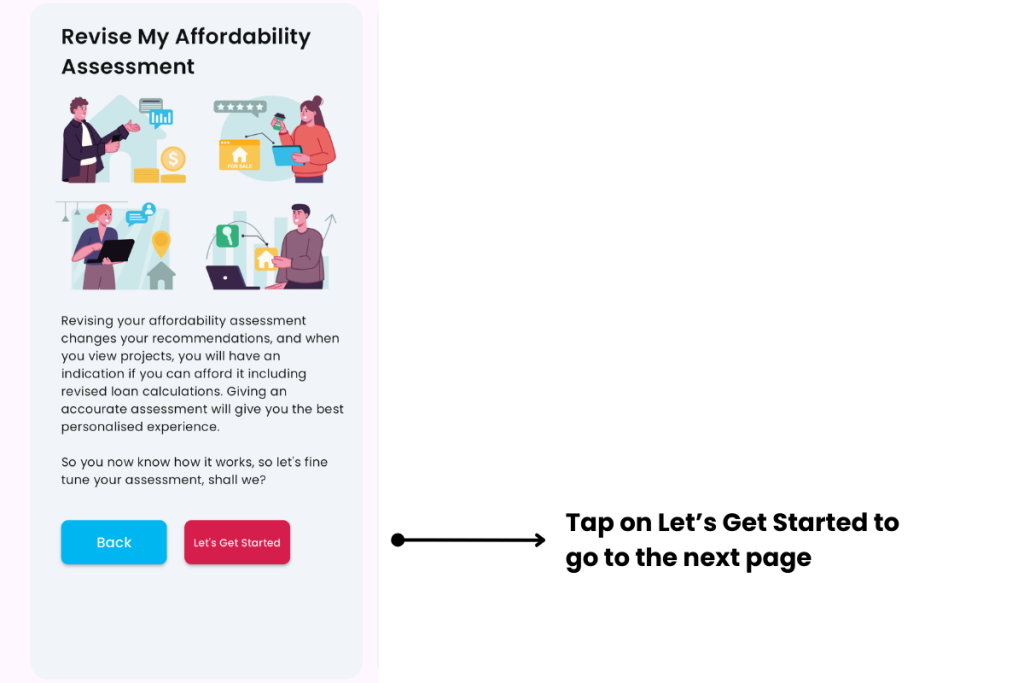
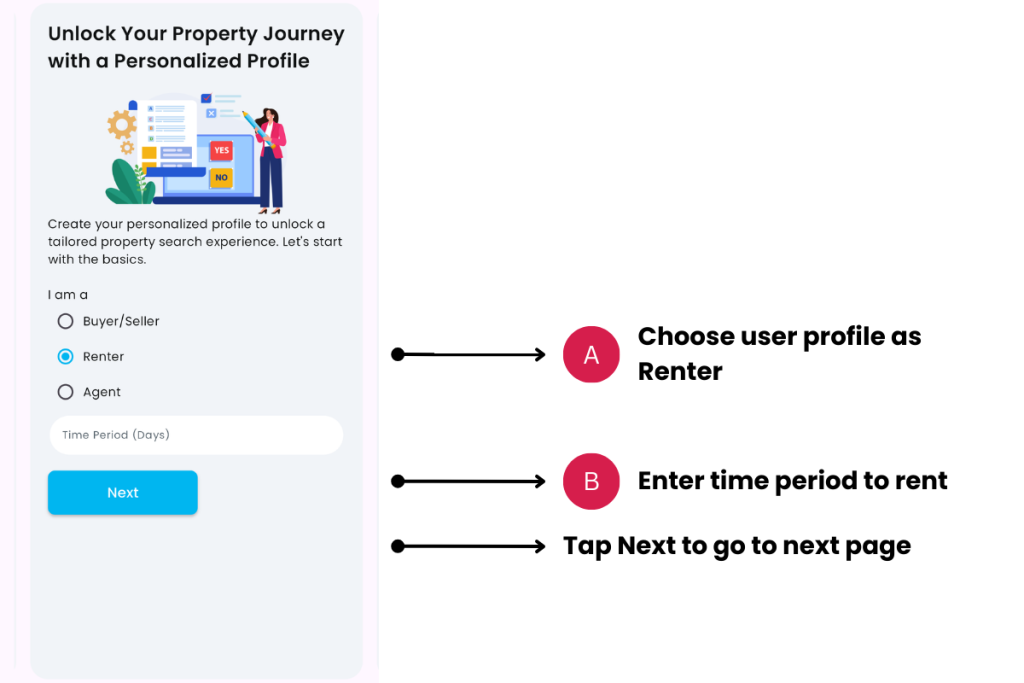
A. Choose user profile as Renter
- Description: Choose this profile if you are a Renter, i.e. if you wish to rent a property.
B. Enter the time period to rent
- Description: Enter a time period in days which you intend to buy or sell your property.
- Tip: Most renters take about 30 to 90 days to find the right home.

C. Enter property preferences
- Description: Input your property preference, including your budget, property type, size, areas, near MRT stations and so on. If you input a budget beyond what you can afford, you will be reminded of your financial limits, but Cribs will allow you to move forward.
- Tip: Tap Reset if you wish to clear all the fields.
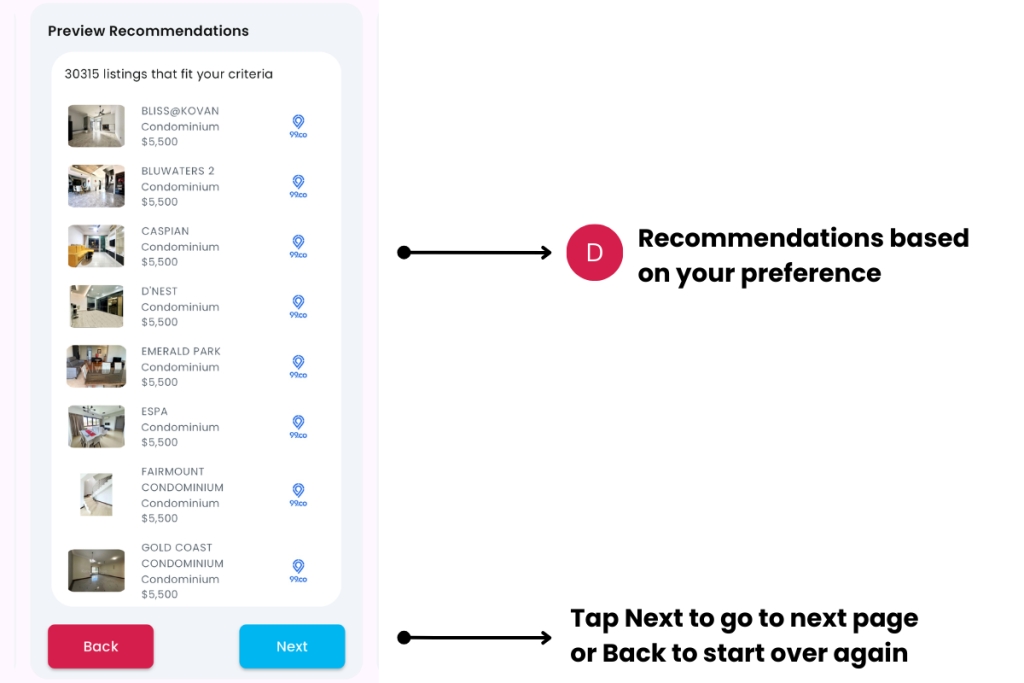
H. Recommendations based on your preference
- Description: Cribs will find properties based on your budget and property preferences.
- Tip: You can revisit these Recommendations through the Home page through the Renter block.
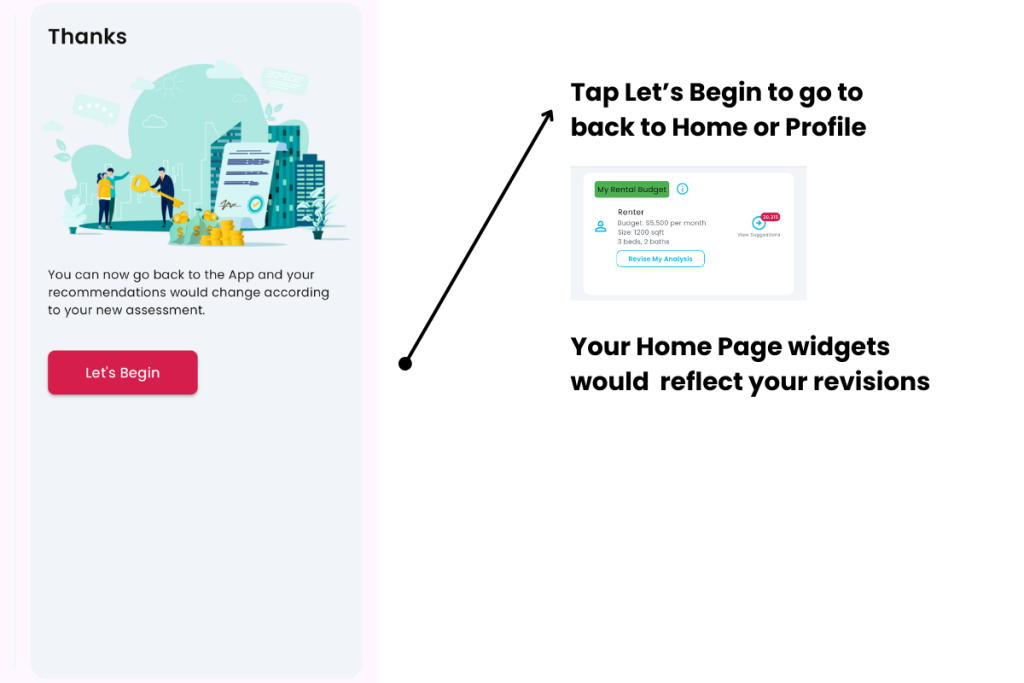
Tap on Let’s Begin to return to Home or Profile. The Renter block on the Home page will reflect your preferences.
Contact and Support
Need further assistance? Contact our support team via the About section on our website or email support@cribs.com.sg

