
Convenience Index page shows the major conveniences around the property for quick reference.
Intended Users
What To Expect
Here is a shot video clip on viewing the Convenience Index.
About
Convenience Index page shows the major conveniences around the property for quick reference. It provides a Convenience Index that is a scale of 1 to 100 on the convenience of the property across 5 major factors – Transportation, Amenities, Healthcare, Food and Education.
Depending on the number of physical locations of these conveniences, a score will be given to each property. These scores are normalised across all Private Properties and HDB Flats across Singapore. It is one of the most popular features in Cribs, given that it provides concise information regarding the Convenience Index score of the property and indicates if there are sufficient conveniences that meet the user’s needs at a glance.
You can access Convenience Index from the Property Details page by tapping on the Convenience Index on the top right of the page, or by going to the Learn More options, Conveniences.
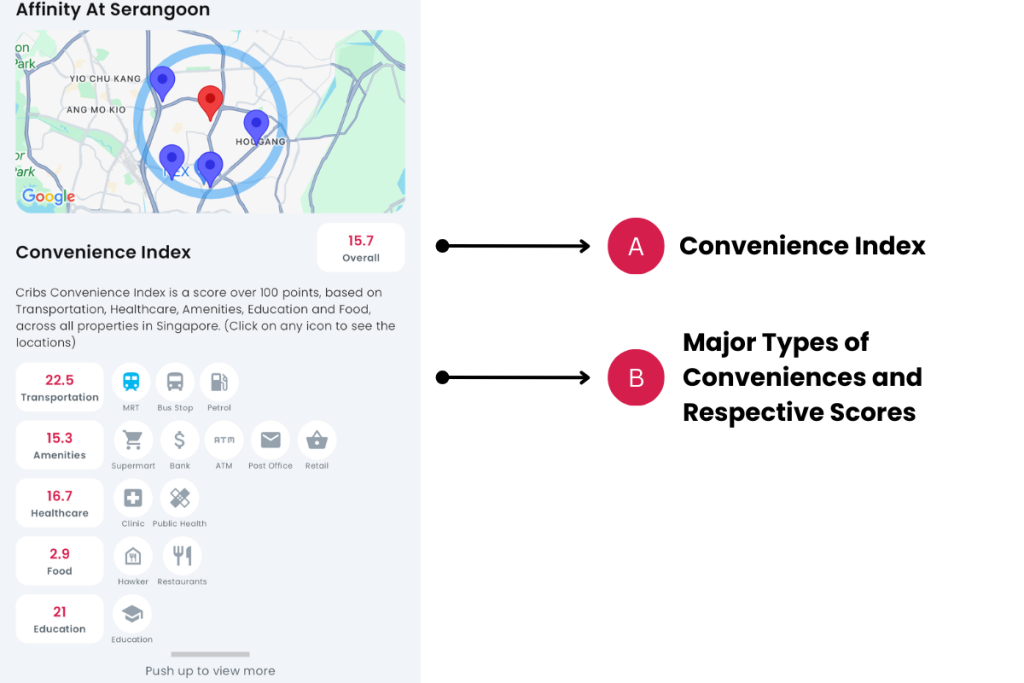
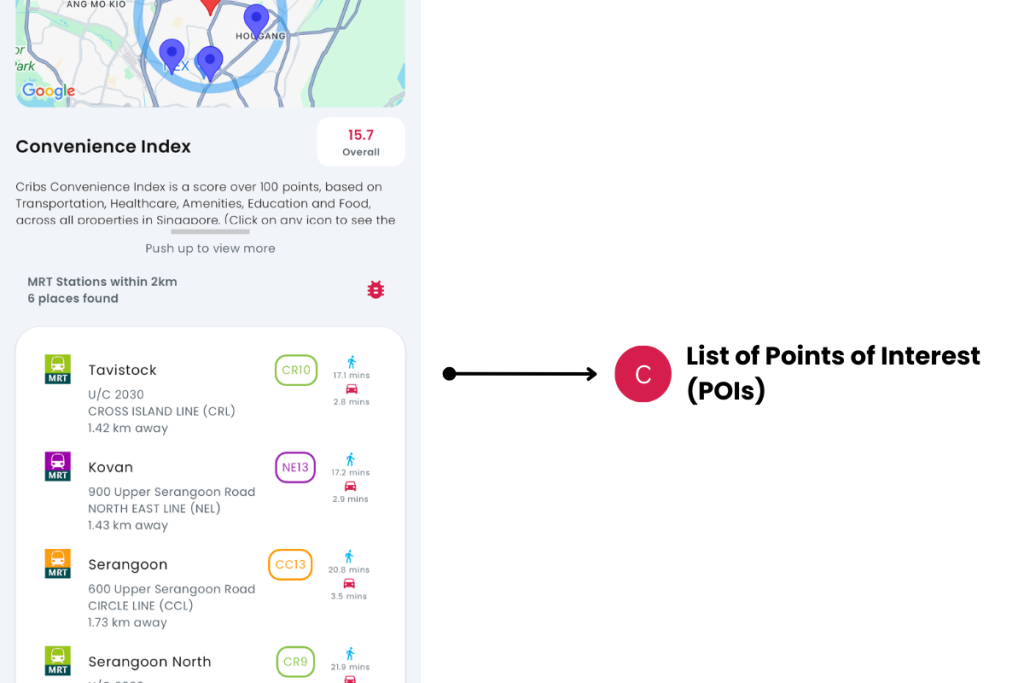
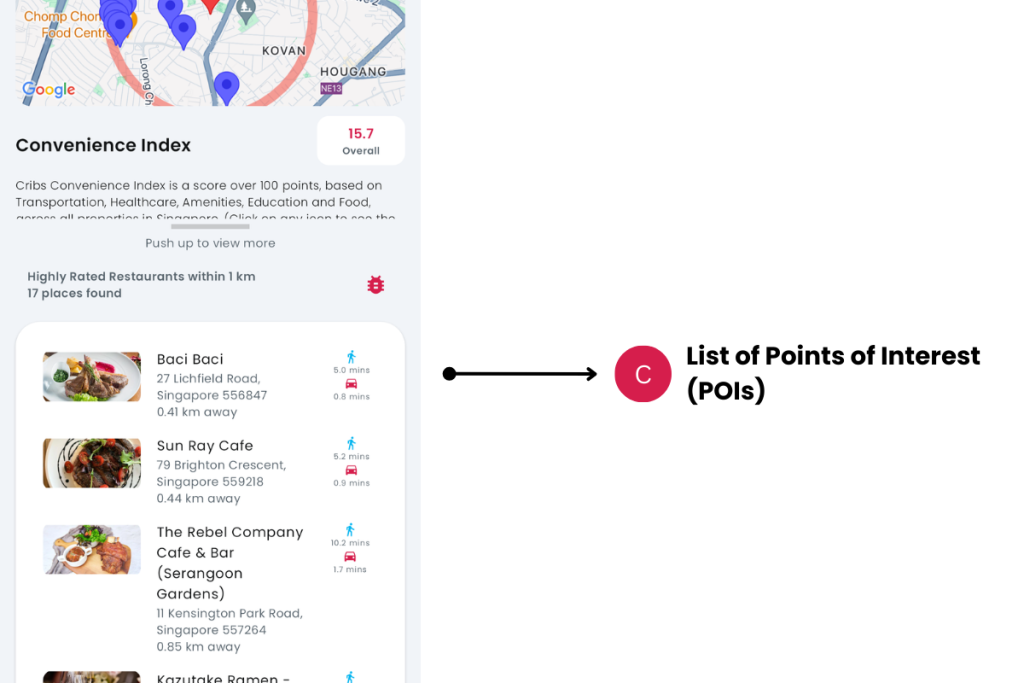
Elements
A. Convenience Index
- Description: Convenience Index is a scale of 1 to 100 on the convenience of the property across 5 major groups – Transportation, Amenities, Healthcare, Food and Education.
- Tip: A score about 50 will have a blue number, whereas a score under 50 will have a red number.
B. Major Types of Conveniences and Respective Scores
- Description: There are 5 major groups – Transportation, Amenities, Healthcare, Food and Education that are scored across Singapore. These are also scored from a scale of 1 to 100. Each factor itself is normalised across properties in Singapore and has its own weightage. Tap on any icon to see the Points of Interest on the map and in the List below.
- Tip: Determine what is important to you. For example, families with young children may value Education as more important than Healthcare.
C. List of Points of Interest (POIs)
- Description: List of Points of Interest, based on the type of Convenience chosen. Tap on any icon in B to see the Points of Interest by convenience type. Tap on any row to identify the location of the Point of Interest on the map.
- Tip: Driving or Walking Distance is helpful for commuters and drivers to understand its proximity from the property to the Point of Interest.
Exceptions and Error Handling
Point of Interest no longer there
Description: Cribs is continuously updating its Points of Interest. It not only obtains information from Google Maps, but also from official sources of the Singapore government, such as OneMap, MOE, MOH, etc.
Solution: Send a bug report if you feel that the POI has changed or is no longer there or email support@cribs.com.sg.
Contact and Support
Need further assistance? Contact our support team via the About section on our website or email support@cribs.com.sg

