
Affordability Analysis page for buyers/sellers analyses a user’s affordability based on total debt servicing ratio and mortgage servicing ratio to recommend properties that are appropriate for the user.
Intended Users
What To Expect
Here is a shot video clip on the Affordability Analysis process. The user will be guided through a mandatory wizard. The Financial Analysis portion is option and the user can skip this.
About
The Affordability Analysis page for buyers/sellers analyses a user’s affordability based on total debt servicing ratio (TDSR) and mortgage servicing ratio (MSR) to recommend properties that are appropriate for the user. The wizard guides a user through several questions on the user’s financial profile and property preferences. It will then use the user’s TDSR and MSR to recommend properties that are suitable for the user. In addition, through hyper-personalisation, when a property is viewed, Affordability tags will appear to remind the user if it is Within Affordability, Barely Affordable or Beyond Affordability. It is important that the user inputs the information correctly in order for the feature to work accurately. Cribs takes privacy seriously and protects the individual’s information in accordance with its guidelines. Affordability Analysis is launch immediately after Registration, and can be revised anytime by tapping on the Home page – Buyer/Seller block or through Profile – Revise Affordability Analysis.
Other User Profiles
- Renter. If you are a Renter, please view to the Affordability Analysis for Renters.
- Agent. If you are an Agent, please view to the Agent Onboarding Process.
Getting Started
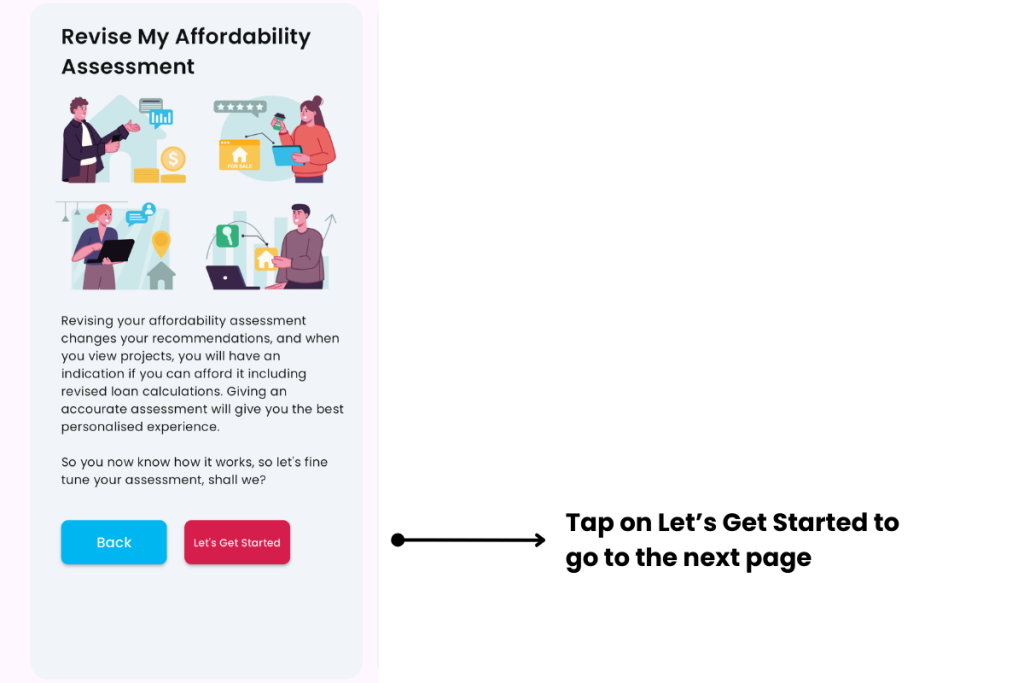

A. Choose user profile as Buyer/Seller
- Description: Choose this profile if you are a Buyer/Seller, i.e. if you own a property and planning to sell in order to buy another, or if you wish to buy another property as an investment.
- Tip: If you are a First Time buyer, you can choose this option as well.
B. Enter the time period to buy or sell
- Description: Enter a time period in days which you intend to buy or sell your property.
- Tip: Most buyers and sellers take about 180 to 360 days to find the right home.

C. Choose your current residential address
- Description: Choose your current residential address by entering postcode, name of property or street. Cribs will show different options. Select your property by tapping on the correct one.
- Tip: This will create My Property block on the Home page.

D. Enter your details to calculate your Total Debt Servicing Ratio (TDSR) and Mortgage Servicing Ratio (MSR)
- My Monthly Gross Salary: Input your monthly gross salary, before CPF, without the ‘$’ sign.
- My Partner’s Monthly Gross Salary: Input your partner’s monthly gross salary, before CPF. If you intend to service the loan on your own, enter 0.
- Car Loan: Input your monthly car loan value. If you don’t have a vehicle loan, enter 0.
- Credit Card Debt: Input credit cards’ balance, at the end of each month. If you pay your credit cards’ balance in full each month, enter 0.
- Other Debt: Input any other monthly loan commitments. If you don’t have other loans, enter 0.
- Tip: This will calculate both TDSR and MSR ratios that will be used throughout Cribs.

E. Enter your details to calculate your Loan-to-Value (LTV) limit
- Age: Input your age.
- Partner’s Age: Input your partner’s age.
- No of Loans: The total number of loans. If you intend to sell your current property and buy another, enter 0.
- Tip: This will calculate the combined age of you and your partner that will be used in Home Loan calculations.

F. Summary of Affordability Analysis
- Description: Your TDSR and MSR will be calculated, including LTV. Information on affordability will be shown.
- Tip: Enter the information accurately to understand your affordability.

G. Enter property preferences
- Description: Input your property preference, including your budget, property type, size, areas, near MRT stations and so on. If you input a budget beyond what you can afford, you will be reminded of your financial limits, but Cribs will allow you to move forward.
- Tip: Tap Reset if you wish to clear all the fields.

H. Recommendations based on your preference
- Description: Cribs will find properties based on your TDSR, MSR and property preferences.
- Tip: You can revisit these Recommendations through the Home page through the Buyer/Seller block.
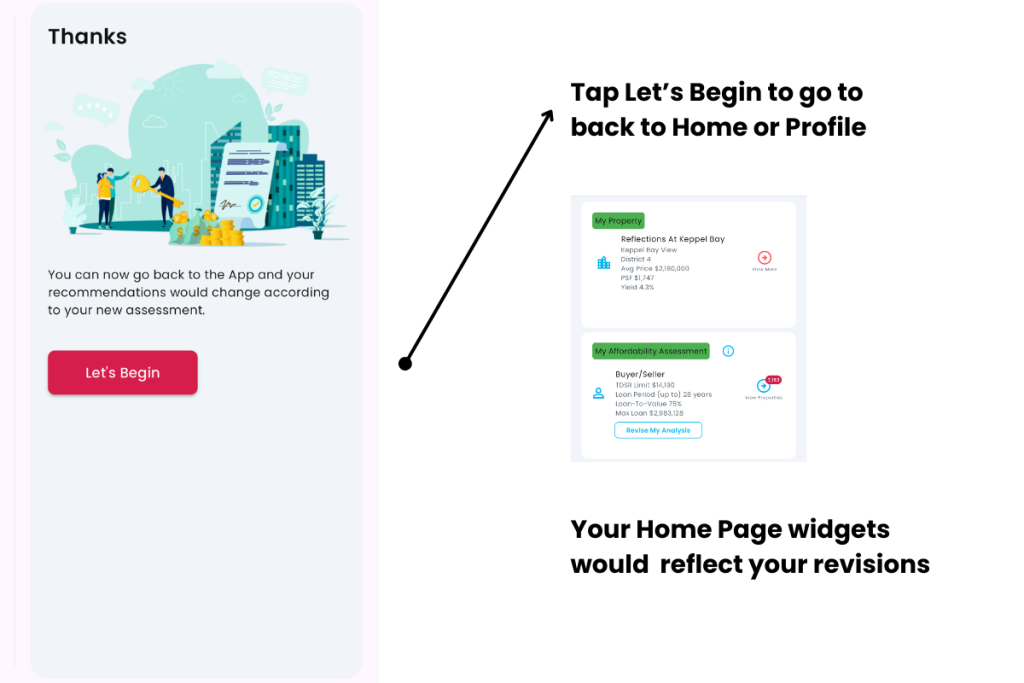
Tap on Let’s Begin to return to Home or Profile. The Buyer/Seller block on the Home page will reflect your preferences.
Contact and Support
Need further assistance? Contact our support team via the About section on our website or email support@cribs.com.sg

