
District page provides users with summary of the latest private property activities in the district such as latest sales, rentals, best sellers, sales and rent listings, average prices and volumes and average rentals and rent volumes.
Intended Users
What To Expect
Here is a short video clip on the District page.
About
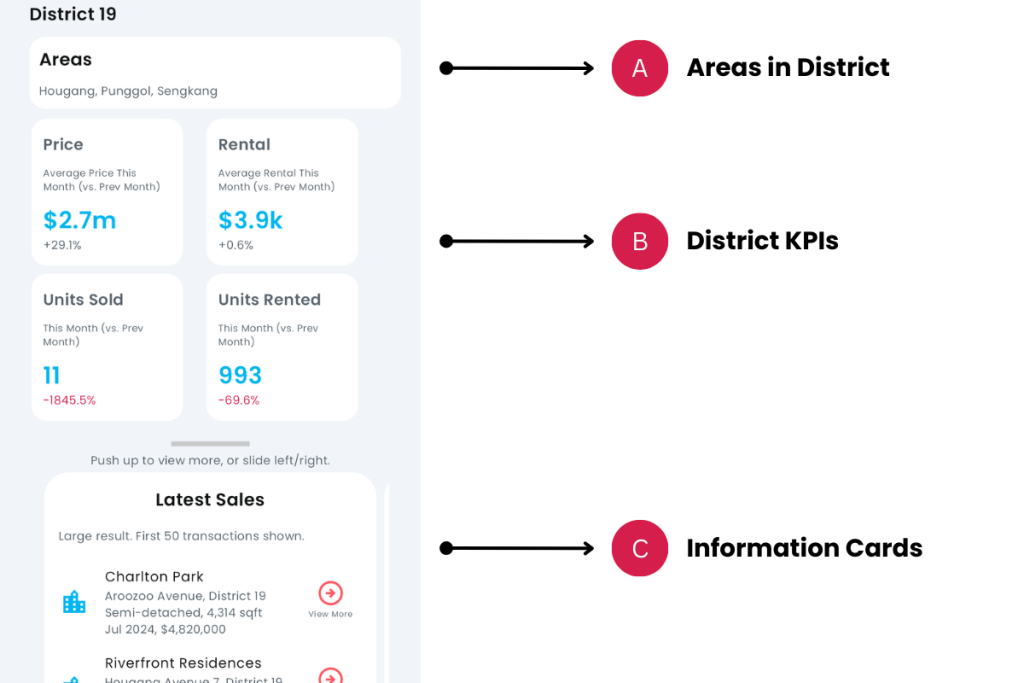
District page provides users with summary of the latest private property activities in the district such as latest sales, rentals, best sellers, sales and rent listings, average prices and volumes and average rentals and rent volumes. It provides a quick glance on the high level KPIs and is useful for users who are interested in sales or marketing in the district and finding new opportunities or upcoming trends. This page can be launched from the Home page under Private Properties by District, or from the Property Details page, in the Learn More option – More About District [district number].
Elements
A. Areas in District
- Description: All Areas in the District.
- Tip: Quickly identifies the areas in the district.
B. District KPIs
- Description: A summary of KPIs – average prices sold in the district, number of units sold, average rental in the district and number of units rented.
- Tip: The percentage comparison is current month vs. previous month of data. Rental data might be delayed, due to the availability of URA data.
C. Information Cards
- Description: The information cards provide more information on the various property activities – latest sales, rentals, best sellers, sales and rent listings, average prices and volumes and average rentals and rent volumes.
- Tip: Push up the information panel and side left or right to access the various cards.
D. Latest Sales
- Description: List of sales transactions of the district. Only the first 50 transactions are shown.
- Tip: The list is sorted by latest transactions first. Tap on any row to go to the property’s Property Details page.

E. Latest Rentals
- Description: List of rental transactions of the district. Only the first 50 transactions are shown.
- Tip: The list is sorted by latest rentals first. Tap on any row to go to the property’s Property Details page.

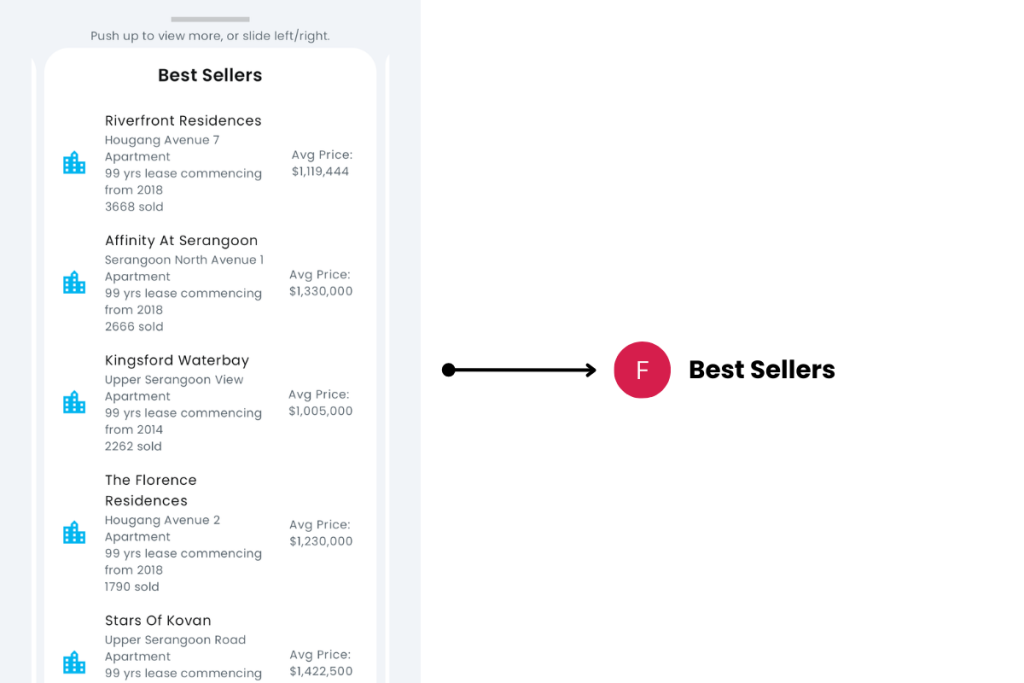
F. Best Sellers
- Description: List of Best Sellers in the District.
- Tip: The list is sorted by the highest number of sales. Tap on any row to go to the property’s Property Details page of the property.
G. Latest Sale Listings
- Description: Latest sale listings in the District across major property platforms.
- Tip: Tap on any row to go to the platform’s listing of the property. Slide row left or right to view more of the row.

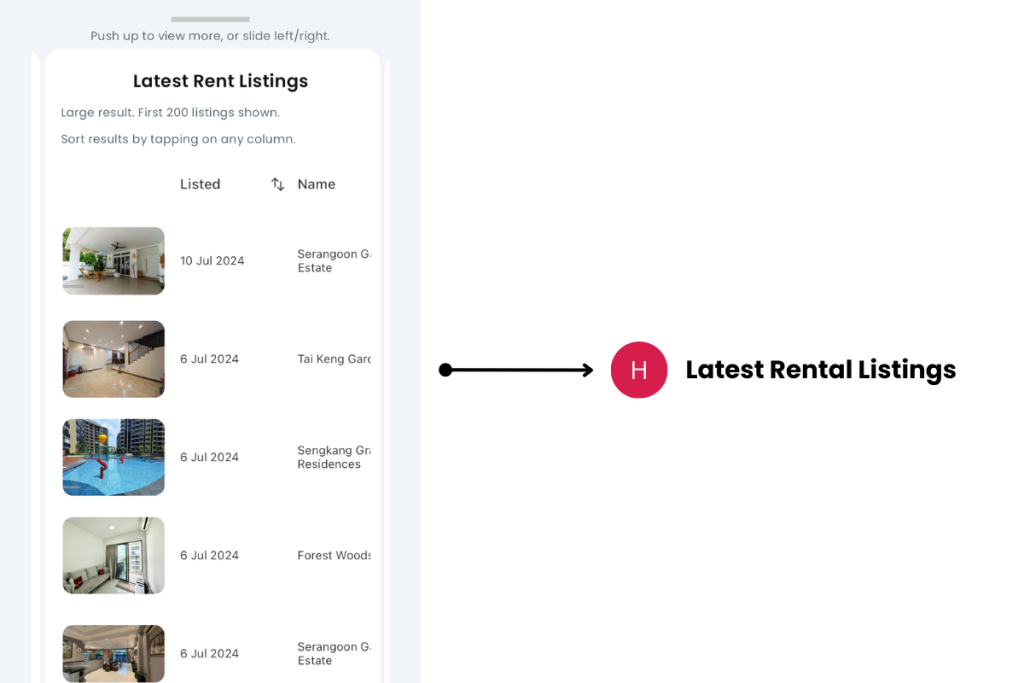
H. Latest Rental Listings
- Description: Latest rent listings in the District across major property platforms.
- Tip: Tap on any row to go to the platform’s listing of the property. Slide row left or right to view more of the row.
I. Average Prices vs. Units Sold
- Description: Combined chart of average property prices in the District and units sold. The left axis is the property price, while the right axis is the number of units sold. Only the past 12 months is shown.
- Tip: Tap on any point on the chart to view the date and average price or units sold.

J. Average Rent vs. Units Rented
- Description: Combined chart of average rental prices in the District and units rented. The left axis is the rental price, while the right axis is the number of units rented. Only the past 12 months is shown.
- Tip: Tap on any point on the chart to view the date and average rent or units rented.

Exceptions and Error Handling
Latest month of rental dates are not reflected.
Description: URA is usually a month behind rental data.
Solution: None.
Contact and Support
Need further assistance? Contact our support team via the About section on our website or email support@cribs.com.sg

